Getting started
Install OY.Surf and open your first folder.
OY.Surf is a local-first visual workbench for macOS. It opens folders you already have, indexes them in place, and runs AI on your Mac — nothing is uploaded unless you opt in.
Install
Download the DMG, open it, and drag OY.Surf to Applications. The build is signed and notarized by Changes Company, so it opens normally. On Apple Silicon it runs natively.
Open a folder
On first launch you'll see Choose a Folder. Point OY.Surf at any folder — Downloads, Dropbox, a render output directory. It indexes the images, video and design files inside in place; your originals never move.
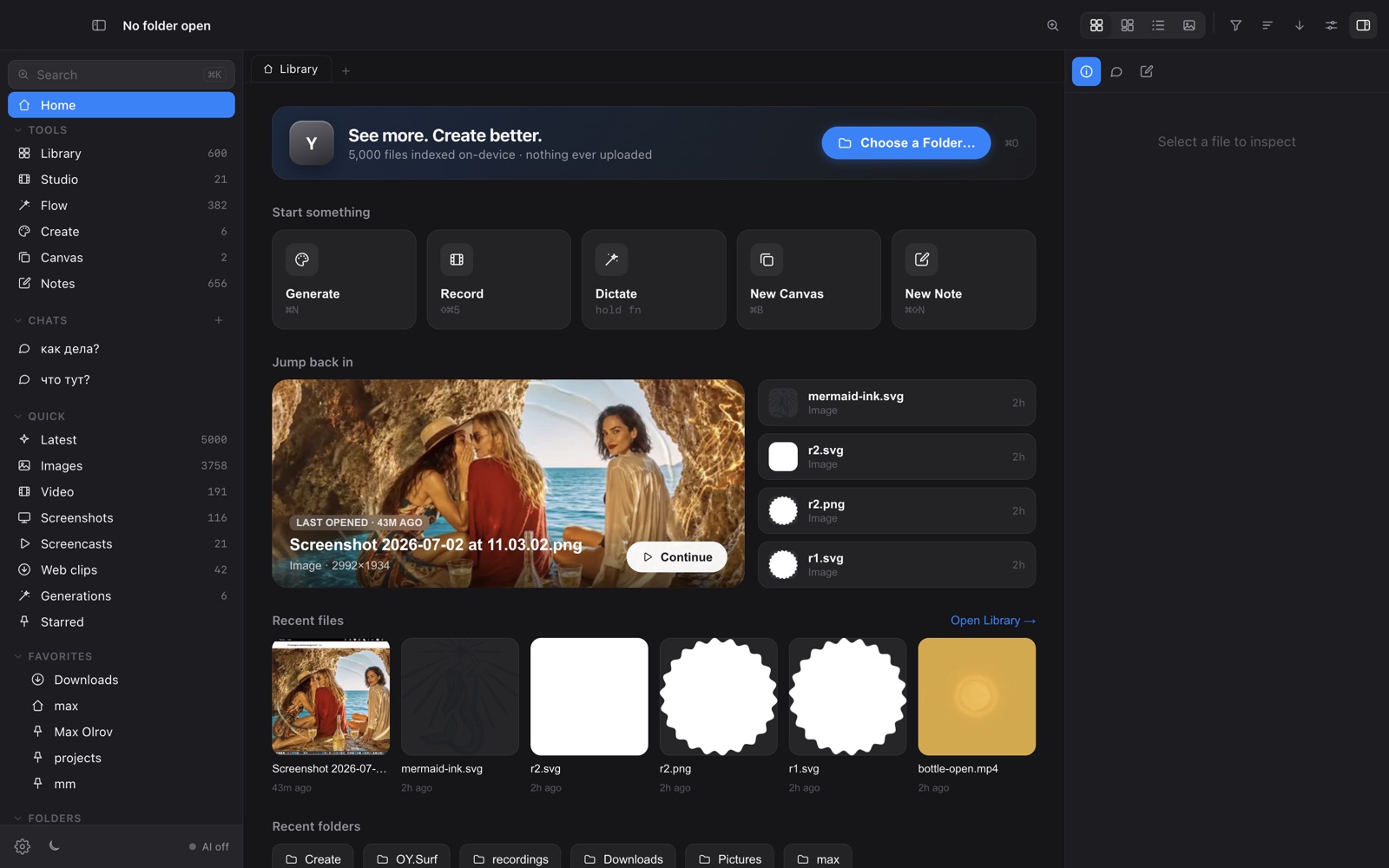
What happens next
Indexing builds thumbnails and, when the on-device model is ready, descriptions and a semantic search index. You can start browsing immediately; AI features light up as models finish downloading (see Models & downloads).