Canvas — references & workflows
Arrange references, connect image steps, inspect results and reuse recipes.
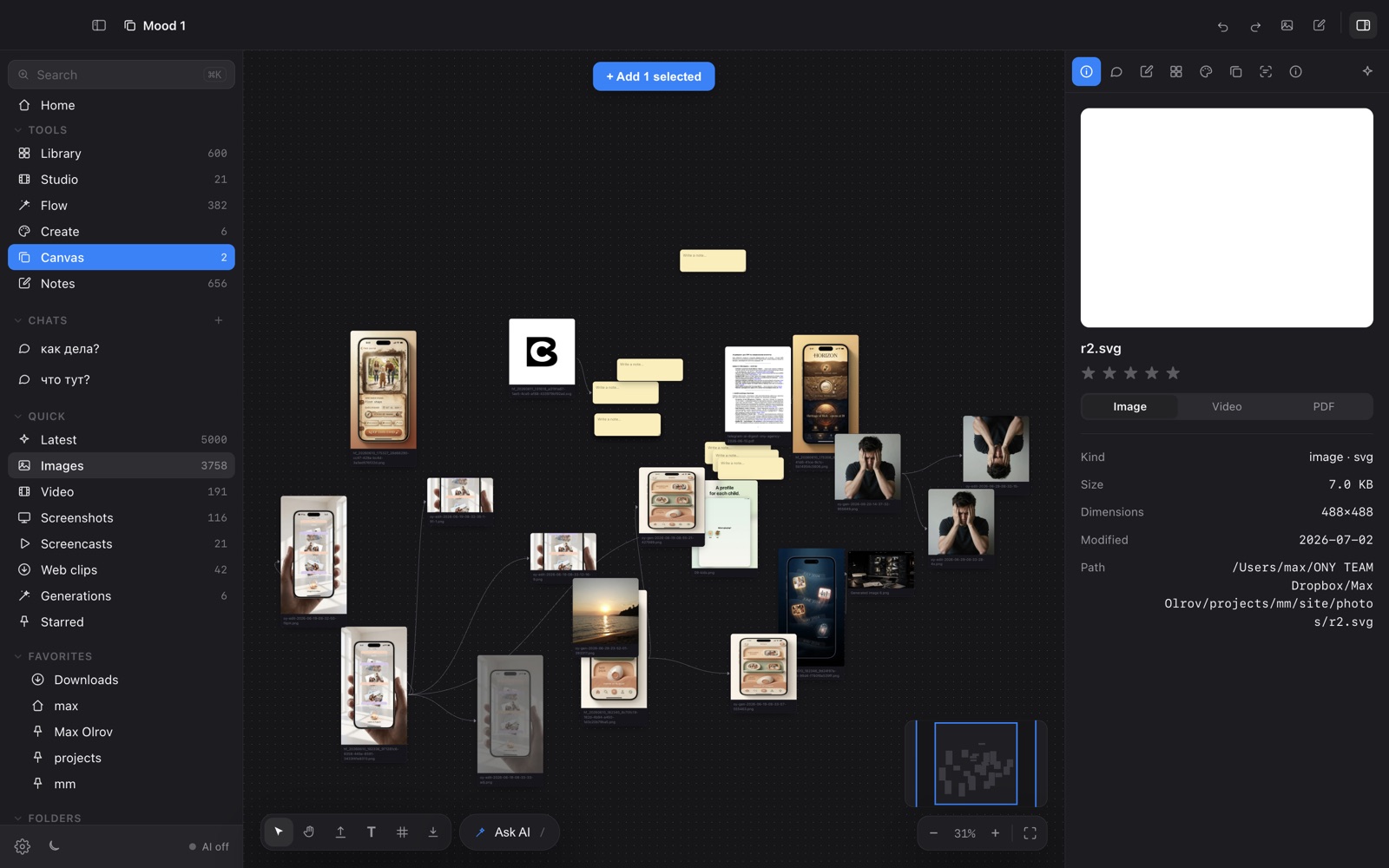
Canvas brings images, text notes, sections and executable image steps onto one board.
Add and navigate
Use Add, press Tab, or double-click empty space to search the block library. Drag an output handle onto empty space to add a connected step. Hold Space to pan; ⇧1 fits the board and ⇧2 focuses selection.
Build a branch
Operations: Generate image, Edit image, Remove background, Upscale 2×, Compress and Convert. Each image step accepts one image or previous-step input. Notes supply prompt context to Generate or Edit; Edit still needs an image.
Select a step to configure its provider and supported parameters in the Inspector. Branch selection highlights its sources and descendants. Arrange connections organizes the graph.
Run and review
Run step resolves its dependencies. Run branch processes the selected workflow; Run all covers the board. Missing inputs and keys are reported before work starts. Unchanged ancestors can reuse previous results.
Stop after step finishes the current operation before stopping the chain; it does not immediately cancel a paid request. Inputs stay locked during a run. Completed outputs survive switching boards.
Organize and reuse
Sections move related blocks together. ⌘D duplicates steps and notes while sharing their image source. Use Layers or Find to locate blocks. Select two to four images for Compare images.
Save recipe makes the chain available in Add → Saved. Recipe JSON includes prompts, settings and connections, without images or keys.
Saving
Changes save automatically on this Mac; the toolbar reports save failures and offers Retry. Undo/Redo covers board edits while no workflow runs. Export canvas as PNG makes a visual overview, not an editable workflow file.